 Install free







Competitor researchers
Understand a competitor’s stack, public catalog, and storefront signals.
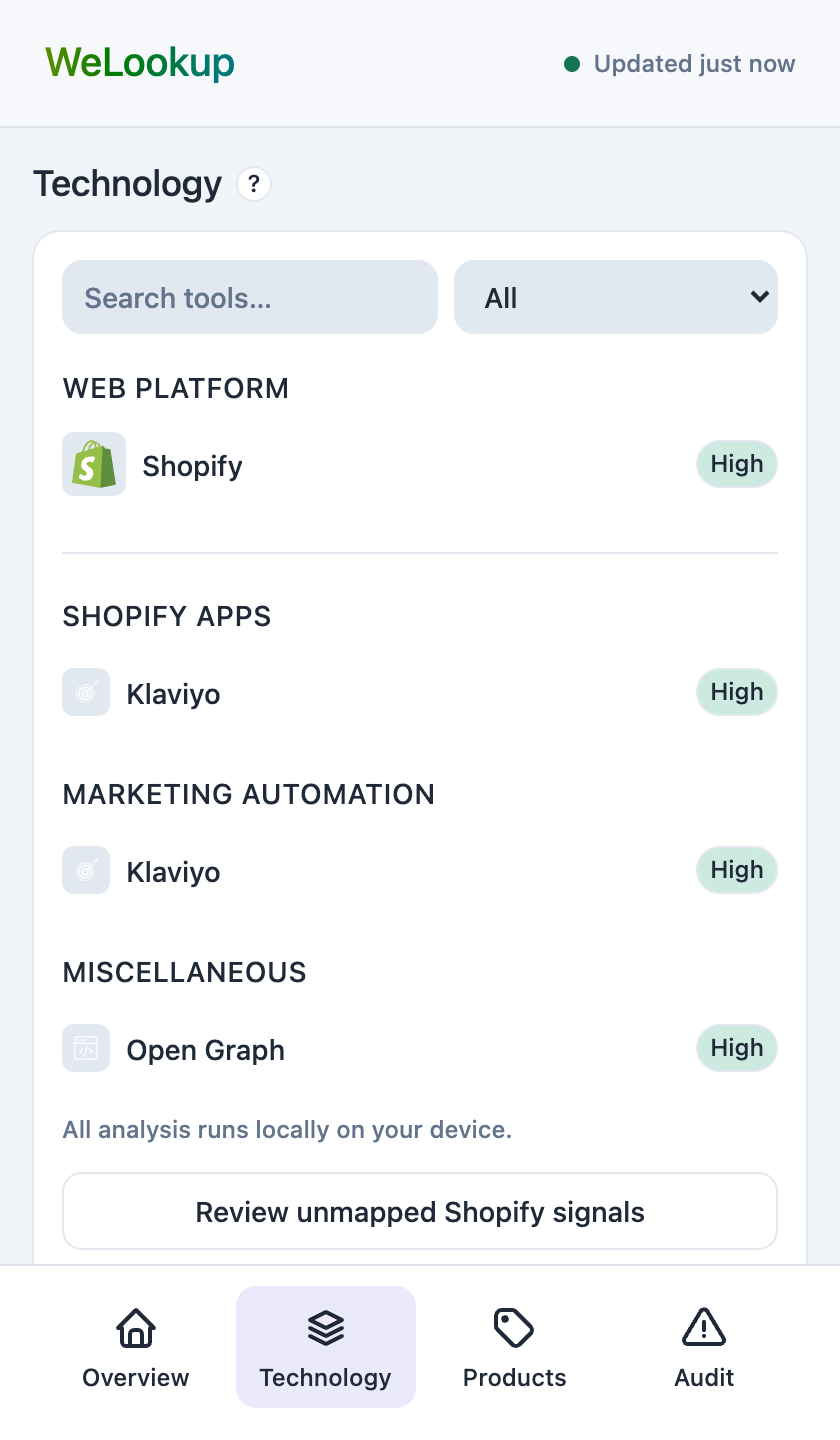
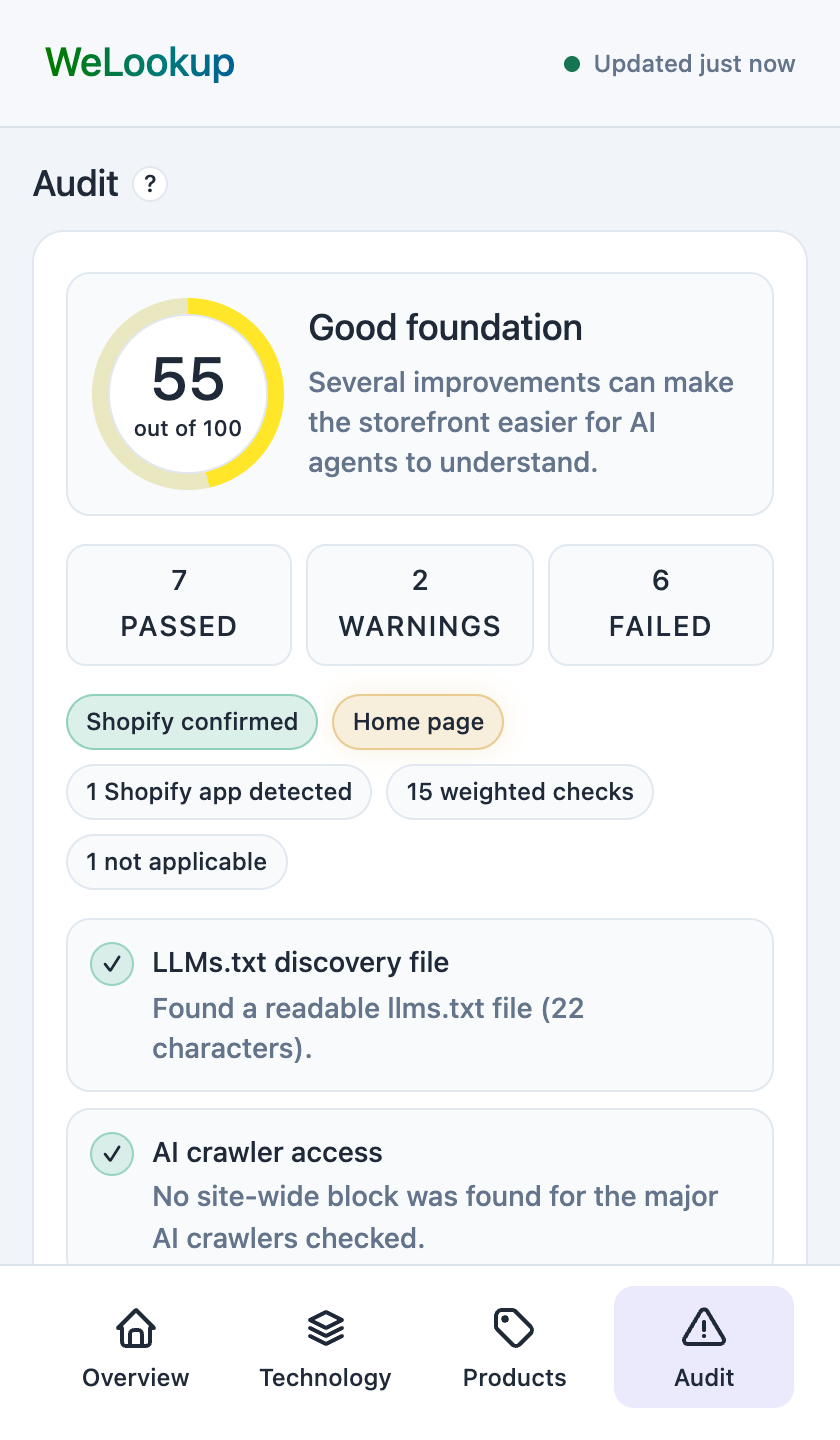
Match public storefront signals against 8,244 technology signatures, including 873 Shopify apps. When Shopify is confirmed, explore theme evidence, catalog data, and AI-readiness insights without leaving the page.
How it works
No dashboard setup, store login, cloud upload, or switching between research tools. Every scan checks the complete set of public signals available on the active page, including HTML, scripts, metadata, DOM patterns, cookies, styles, and platform fingerprints.
01 Open
Visit the public store you want to understand in Chrome.
02 Launch
Click the extension icon to open WeLookup beside the current page.
03 Review
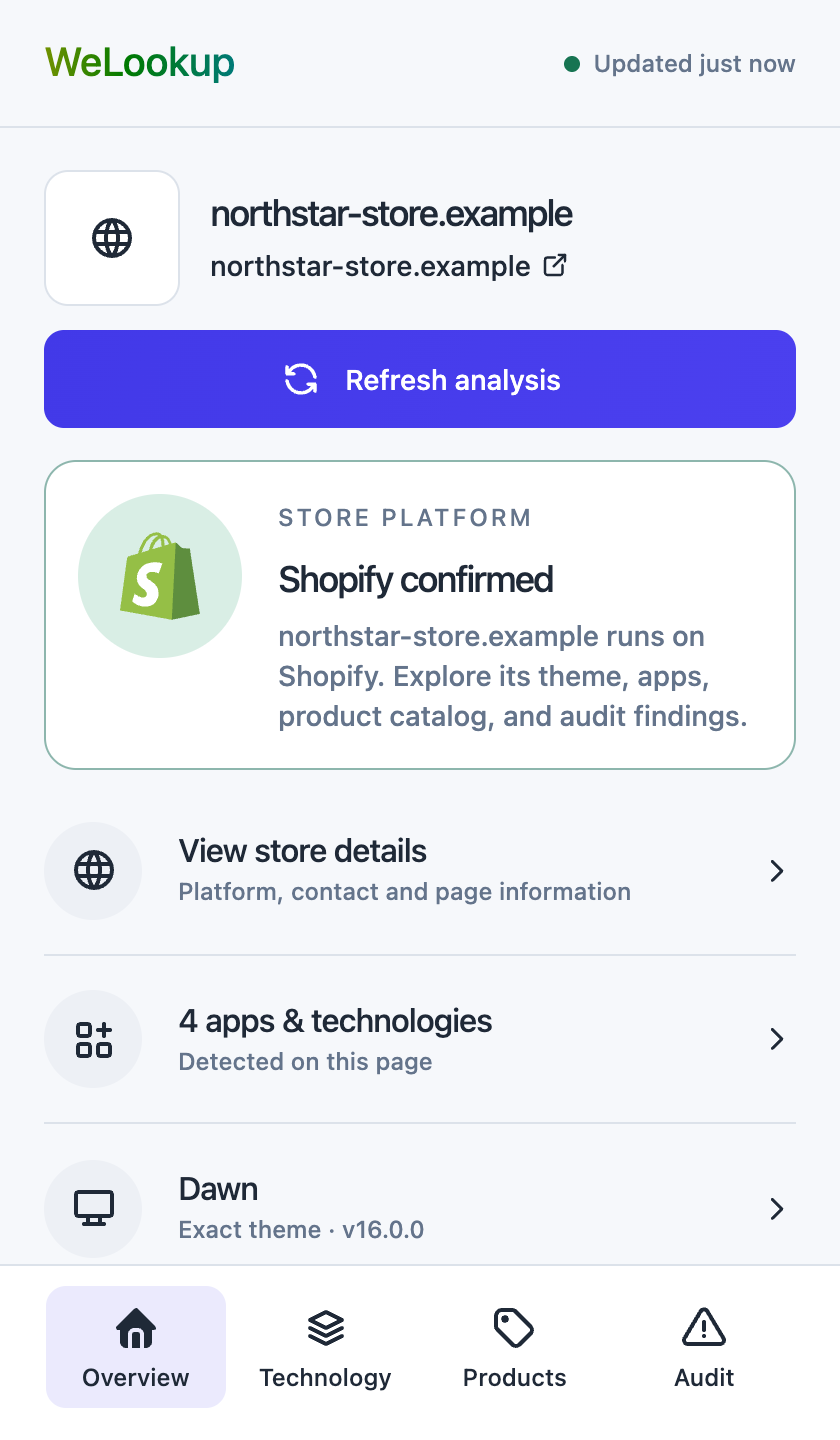
Move between Overview, Technology, Products, and Audit without leaving the store.
The product
Each view answers a different question and keeps the result close to the page that produced it.
Overview
Confirm the store platform, review public store details, and see detected apps, theme evidence, and audit issues in one place.
Clear scope
WeLookup separates general storefront detection from Shopify-specific research, so the interface only shows evidence the current store supports.


 Shopify confirmed

Built for real research
Move from a hunch to a structured result without requesting backend access.
Understand a competitor’s stack, public catalog, and storefront signals.
Qualify a storefront and prepare for technical conversations faster.
Spot analytics, marketing, review, support, and automation tools.
Review the commerce ecosystem visible on a public storefront.
Designed for control
WeLookup analyzes the active public storefront in your browser. Scan results stay on your device and are not uploaded to or stored by WeLookup.
More detail is available in the privacy policy.
To inspect the public page you are viewing and identify visible storefront signals.
Locally in Chrome. WeLookup does not upload or store scan results on its servers.
No Shopify admin, store password, customer account, or merchant credentials.
FAQ
WeLookup is a Chrome extension that analyzes the public storefront open in your browser and organizes the evidence into Overview, Technology, Products, and Audit views.
Yes. WeLookup is a free Chrome extension with no store login or merchant admin access required.
The current detection library contains 8,244 technology signatures, including 873 Shopify apps. The broader library also covers ecommerce platforms, analytics, marketing, reviews, support, payments, and other public storefront technologies.
WeLookup checks the complete set of public storefront signals available to the extension on the active page, including HTML, scripts, metadata, DOM patterns, cookies, styles, and platform fingerprints. It does not access private store data or the merchant admin.
No scan results are uploaded to or stored on WeLookup servers. Analysis runs locally in Chrome and results stay on your device.
The current Chrome Web Store package is 1.35 MiB. That keeps WeLookup lightweight and substantially smaller than several full-featured storefront research extensions.
Technology detection and the general Overview can work across public storefronts. Theme evidence, Products, and Audit are shown when Shopify is confirmed and the required public data is available.
WeLookup uses page access to run its analysis on the active public storefront after you open the extension or request a refresh. This is how it detects visible technologies and storefront signals.
No. WeLookup works with information exposed by the public storefront and does not require access to the merchant admin.
On a confirmed Shopify storefront, you can choose a quick or full catalog scan, search the collected products and collections, and export the findings.
Ready when the storefront is
Install WeLookup free and run local storefront analysis beside the page.
Install free